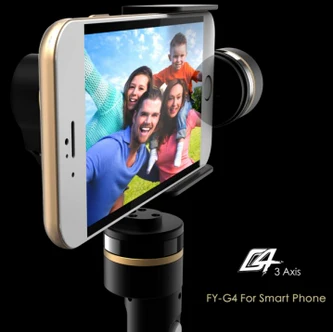
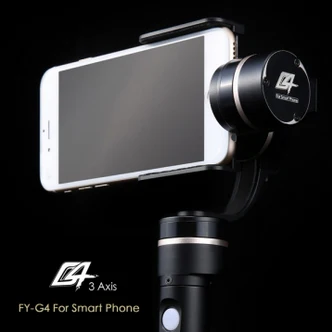
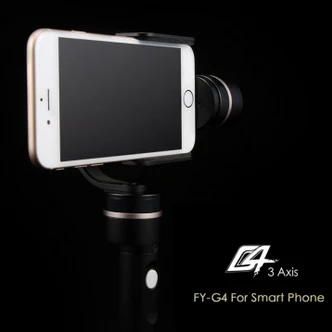
Feiyu Tech FY-G4 3 Axis Handheld Steady Gimbal For Smart Phone


Description:
Brand Name: Feiyu Tech
Item No.: FY-G4
Item Name: Handheld Gimbal For Smart Phone
Function Instruction:
● Heading Following Mode —— Pitch and roll locking, heading smooth rotation follow the direction of the handheld.
● Heading And Pitch Following Mode —— Roll locking ,heading and pitch smooth rotation follow the direction of the handheld.
● Special Working Condition (Inversion Mode) —— When in any working mode, press the function button for three times in succession, the Gimbal enter into the inversion mode and switch to the Heading following mode automatically. Invert the Gimbal to capture more excited scenes easily by switching mode combination. When in inversion working condition press the function button for three times in succession to reset the Gimbal back to the original state.
● Standby Mode —— Press function button for 3 seconds, the motor stop working and the LED of the function button will light on constantly this will indicate that gimbal enter the standby mode . Single press the function button the gimbal will be awaken immediately.
● Hand Pulling Locking —— The pitching can be adjust by hand pulling after start the gimbal 8 seconds. During the Heading Follow and Heading Lock Mode pulling the pitching to the desired angle and stay 0.5 second it will lock in the current angle.
Operation Skill
Smooth And Steady Filming: Handheld the Gimbal, keep stable for movement, keep light and steady for walking.
Adjust The Pitching Angle:
Manual Adjust: switch to heading follow mode or inversion mode,control the pitch angle to the the position you want,and keep for 1 second,the gimbal will lock current angle
Auto adjust: Double press the function button to enter into “Heading And Pitch Follow ”mode. Hold the Gimbal at the desired angle, then press the button once to reengage “Heading Follow ” Mode in order to lock the angle of desired pitch.
Remote Control to adjust: Customer can adjust the gimbal like mode switch or pitch angle by connecting Remote Control
Flexible Use Of Inversion Mode: Press the function button for three times in succession, the Gimbal switch to the inversion mode and help to captured low angle view more easily.If filming with moving forward at a high speed, keep the handle roughly parallel with the ground will be helpful.
Initialization Instructions:
1. Install the camera properly.
2. Gimbal placed on stationary flat and keep motionless.
3. Power on the Gimbal.
4. The Gimbal is activate and it will initialize automatically. Pick up the Gimbal to work normally.
FY-G4 needs to be initialized whenever the following situations appear after power on:
1. After power on, the angle of pitch is not level with the horizon line.
2. After power on, the angle of roll is not parallel with the horizon line.
3. When the gimbal is in heading static, the angle of heading moves frequently (heading is not stationary)
Package included:
1 x Feiyu Tech FY-G4 3 Axis Gimbal
Original: $525.12
-65%$525.12
$183.79Product Information
Product Information
Shipping & Returns
Shipping & Returns
Description
Description:
Brand Name: Feiyu Tech
Item No.: FY-G4
Item Name: Handheld Gimbal For Smart Phone
Function Instruction:
● Heading Following Mode —— Pitch and roll locking, heading smooth rotation follow the direction of the handheld.
● Heading And Pitch Following Mode —— Roll locking ,heading and pitch smooth rotation follow the direction of the handheld.
● Special Working Condition (Inversion Mode) —— When in any working mode, press the function button for three times in succession, the Gimbal enter into the inversion mode and switch to the Heading following mode automatically. Invert the Gimbal to capture more excited scenes easily by switching mode combination. When in inversion working condition press the function button for three times in succession to reset the Gimbal back to the original state.
● Standby Mode —— Press function button for 3 seconds, the motor stop working and the LED of the function button will light on constantly this will indicate that gimbal enter the standby mode . Single press the function button the gimbal will be awaken immediately.
● Hand Pulling Locking —— The pitching can be adjust by hand pulling after start the gimbal 8 seconds. During the Heading Follow and Heading Lock Mode pulling the pitching to the desired angle and stay 0.5 second it will lock in the current angle.
Operation Skill
Smooth And Steady Filming: Handheld the Gimbal, keep stable for movement, keep light and steady for walking.
Adjust The Pitching Angle:
Manual Adjust: switch to heading follow mode or inversion mode,control the pitch angle to the the position you want,and keep for 1 second,the gimbal will lock current angle
Auto adjust: Double press the function button to enter into “Heading And Pitch Follow ”mode. Hold the Gimbal at the desired angle, then press the button once to reengage “Heading Follow ” Mode in order to lock the angle of desired pitch.
Remote Control to adjust: Customer can adjust the gimbal like mode switch or pitch angle by connecting Remote Control
Flexible Use Of Inversion Mode: Press the function button for three times in succession, the Gimbal switch to the inversion mode and help to captured low angle view more easily.If filming with moving forward at a high speed, keep the handle roughly parallel with the ground will be helpful.
Initialization Instructions:
1. Install the camera properly.
2. Gimbal placed on stationary flat and keep motionless.
3. Power on the Gimbal.
4. The Gimbal is activate and it will initialize automatically. Pick up the Gimbal to work normally.
FY-G4 needs to be initialized whenever the following situations appear after power on:
1. After power on, the angle of pitch is not level with the horizon line.
2. After power on, the angle of roll is not parallel with the horizon line.
3. When the gimbal is in heading static, the angle of heading moves frequently (heading is not stationary)
Package included:
1 x Feiyu Tech FY-G4 3 Axis Gimbal